How to use the Client Portal?

The Kvadrat Client Portal is designed to provide a seamless and intuitive experience, giving you easy access to essential resources, product details, and ordering tools. Below is an overview of the key features to help you get started.
1. Login & Dashboard

Scoprire di più

3. Navigation

Scoprire di più

4. Category and product pages

Scoprire di più

5. Order and check-out

Scoprire di più

Login and dashboard

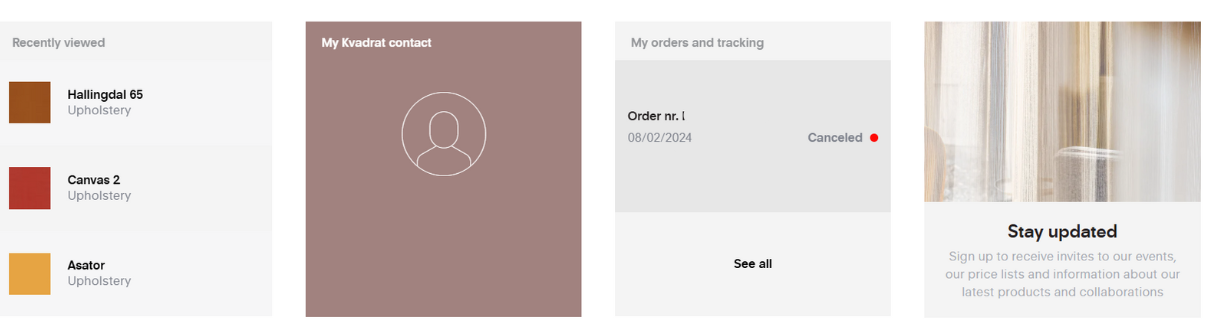
Upon logging in, you will arrive at your personalised dashboard, where you can access recently viewed products, track orders, and find direct contact details for your customer service representative.

imageeomzr.png


Order status & tracking

Under my orders & tracking in your dashboard, you can easily monitor the status of your orders and samples, ensuring a quick and transparent overview of your shipments.

imagefm0zs.png

Toolbox

Your dashboard includes a comprehensive toolbox with key resources, including:


  • Product News
  • Kvadrat Academy (New)
  • Important announcements
  • Client Portal guide and benefits
  • Price list download
  • Rugs in stock
  • Quick ship curtains
  • Image library (New)
  • Care and maintenance
  • Catalogues and brochures
  • Guide and manuals
  • pCon catalogue

Navigation

At the top of the portal, you will find the search bar and navigation menu for quick access to key areas:

Search bar

imagepvx1.png


Easily find specific products by searching by name, material, or specification.

Navigation Menu

imageos8ql.png


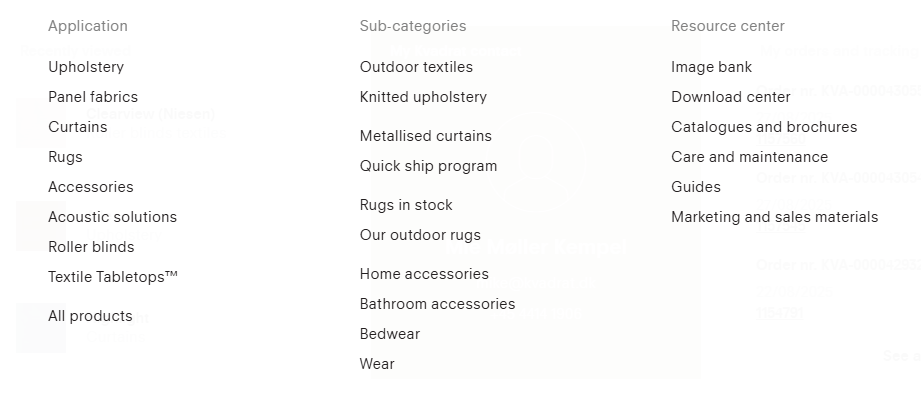
  • Products: Explore our full range of textiles, rugs, and accessories
  • Brands: Discover Kvadrat, Kvadrat/Raf Simons, Sahco, Magniberg and much more.
  • Sustainability: Learn about our commitment to responsible production
  • Designers: Explore our collaborations with leading international designers
  • Inspiration: Find creative ideas for your projects
  • Contact: Get in touch with our team
  • Events: Stay updated on upcoming exhibitions and launches

Category

On each category page, you can explore multiple products at once. 

blobid2.png

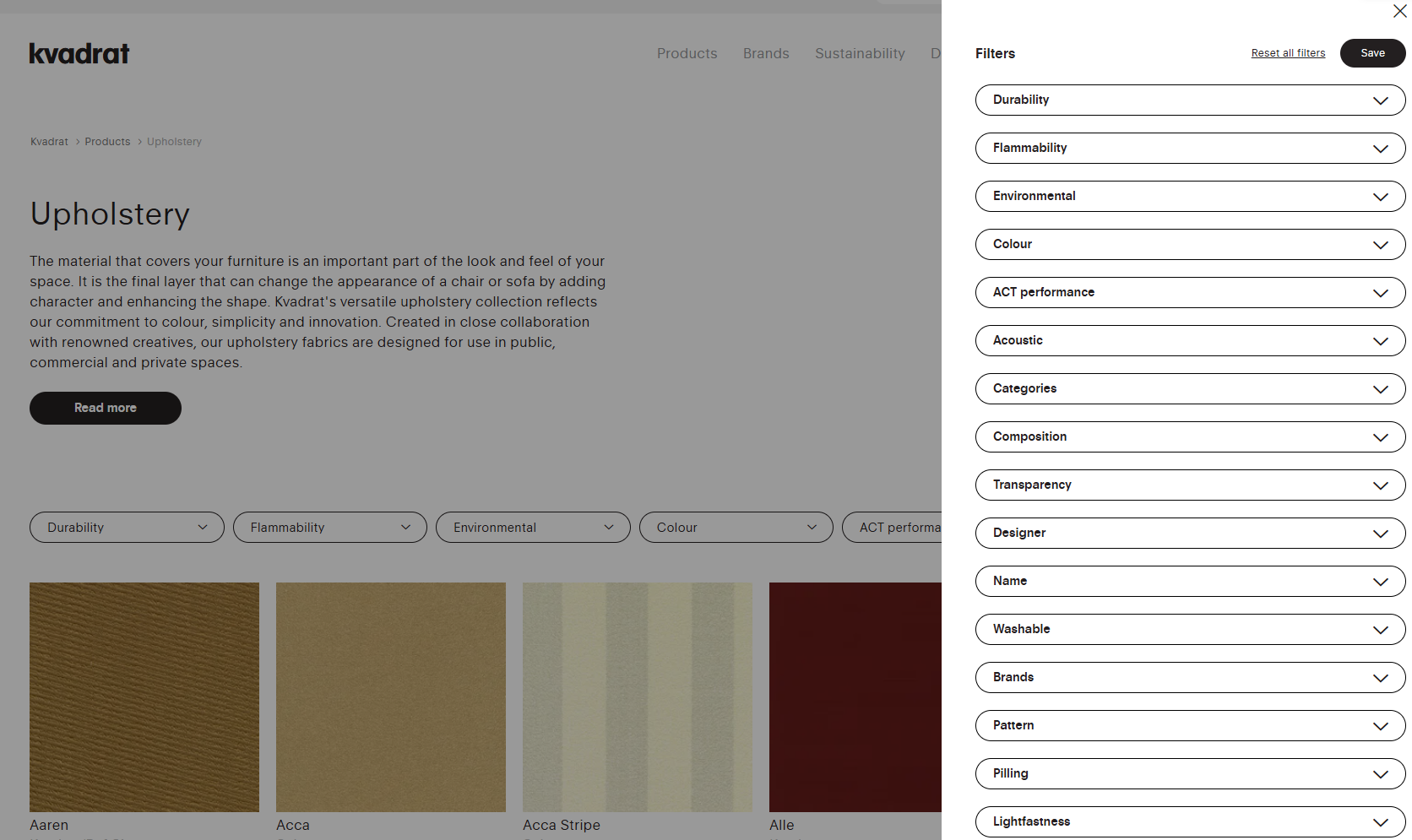
Category filters

For example, under Upholstery, you will find: Various filters to refine your search by Durability, Flammability, Environmental, Colour, ACT performance, and more. Remember you have the opportunity to press "All filters" in the right corner for all the filtering options to show.

images4yqn.png


imageetekr.png

Product pages

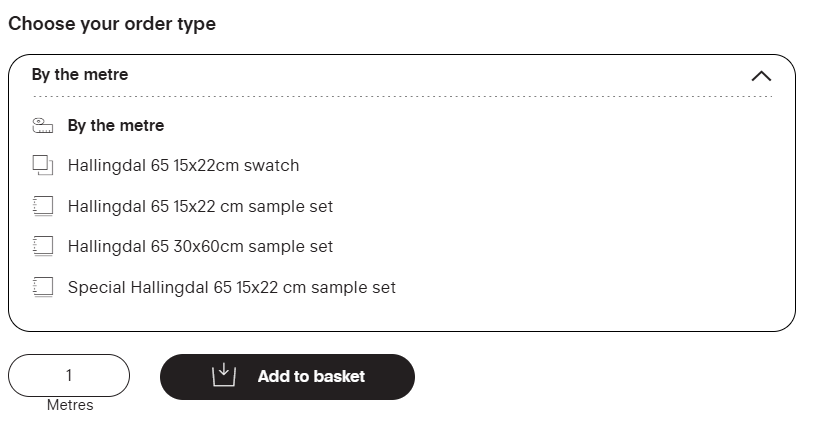
To order, simply navigate to your preferred category via the menu or use the search bar. On the product page, you will find information on stock availability and sample ordering options.

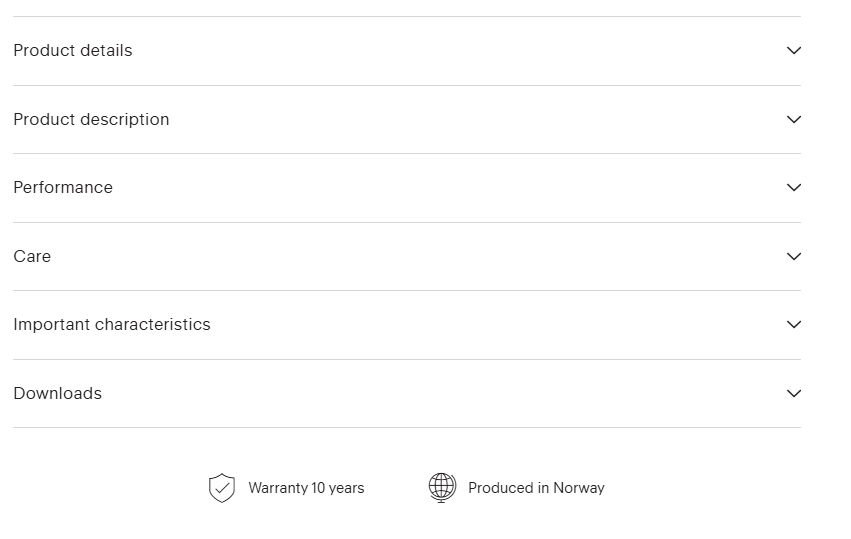
Each product page provides detailed information, including:

  • In-depth product descriptions
  • Certificate downloads
  • Technical specifications
  • Product images

Please note: Specifications may vary by colour, so be sure to check the data sheets when selecting different colourways.

image8hl1r.png

Order and checkout

imagek8q1.png


Once you have finalised your order from the product page, proceed to checkout by clicking the checkout button in the top right corner. Enter your order and delivery details to complete your purchase smoothly.

If you need any assistance, our team is always available to support you. Find your contact person in your dashboard, when you log in.

Enjoy exploring the Kvadrat Client Portal!